A WordPress website often feels like a nicely decorated storefront on a side street. Everything looks sleek, the texts are right, but the door remains almost shut. Many entrepreneurs come to us with the same problem, even after following all kinds of WordPress SEO tips on the internet.
WordPress is quite search engine-friendly by nature, but by default not everything is set correctly. Without the right basic settings, smart content and a fast website, you are simply letting visitors down. We see this every week with SMEs, self-employed people and webshops that come to Studio 84 knock on the door for extra visibility.
In this article, we share the WordPress SEO tips that we ourselves apply daily for clients. No fuzzy theory, but concrete steps such as:
- visibility check
- set up permalinks
- configure an SEO plugin
- optimize content
- speed up your site
These steps are simple enough to do yourself, but strong enough to bring noticeably more traffic.
Feel free to read all the way through. Then, after a few minutes, you will have a clear action plan you can start working with today. And if you notice along the way that you prefer to focus on your business rather than on technical settings, we will also show you how we at Studio 84 take that work from you.
"SEO is not a trick, just showing that you have the best answer." - free to Rand Fishkin
Key takeaways
For those with little time, we briefly list the key points. These are the WordPress SEO tips which we deploy first on new projects because they can have a quick impact.
- Check that your WordPress site is not accidentally hidden from search engines. This is a simple tick-box check. It seems trivial, but we often see the cause of months of zero traffic here.
- Put your permalinks on readable URLs with words instead of extraneous codes. This way, visitors and Google immediately understand what a page is about. This small step gives you other WordPress SEO tips much more power.
- Install a good SEO plugin and calmly go through the setup wizard. With it, you can arrange titles, meta descriptions and sitemaps without any technical knowledge. We use Studio 84 almost always professional licences for it.
- Optimise each page around one clear keyword and write mainly for real people. Use a logical heading structure and place some strong internal links. This way, you build a clear structure in your site step by step.
- Speed up your site with better hosting, caching and compressed images. A slow site costs visitors and positions. Speed is therefore a fixed pillar in all our WordPress SEO tips.
First, check the search engine visibility setting

Before we touch complicated settings, we always start with something that sounds almost too simple. WordPress has an option that allows you to hide the site from search engines. Handy during development, but disastrous for your visibility when that option stays on while you've been live for months.
Quickly checking is how you do it:
- In the dashboard, go to Settings → Reading.
- Scroll to Search engine visibility.
- Make sure the box at "Discouraging search engines from indexing this site" not is ticked.
- Click on Save changes.
If the box is unchecked, search engines can include your site in their results. If it is accidentally on, with one click you may have solved the biggest problem and immediately one of the most important ones WordPress SEO tips applied.
After that, Google only really starts picking up your pages. For a new site, it can take two to six weeks for everything to be indexed. With Google Search Console you can:
- view which pages are included
- see if there are indexing errors
- having individual URLs reassessed
At Studio 84 We link Search Console by default for every customer, as this is the basis for all other WordPress SEO tips measure.
"If your site isn't indexed, it can't rank either." - John Mueller, Google
Set up SEO-friendly URLs (permalinks)
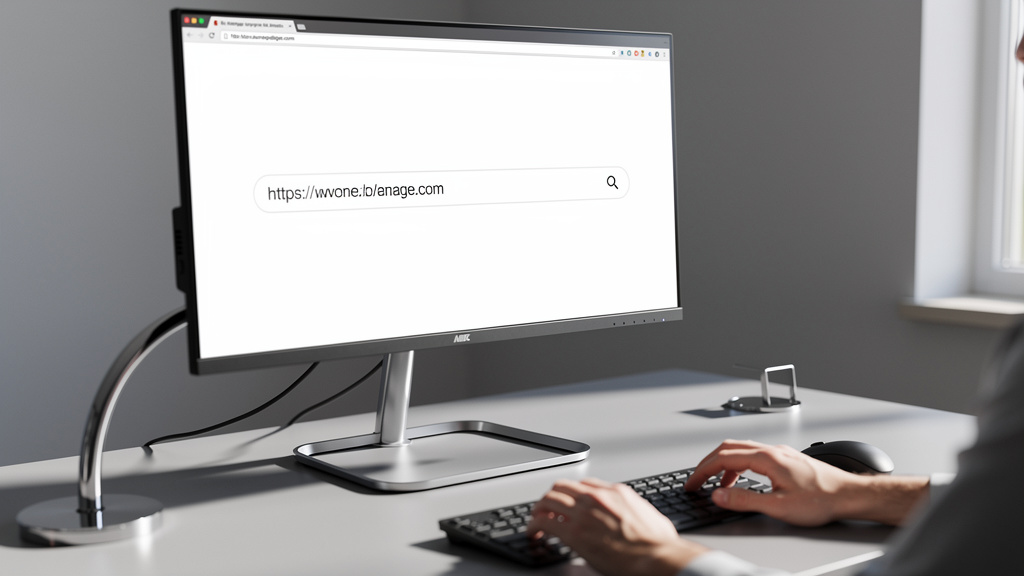
Permalinks are the fixed URLs of your pages and posts. A URL can look neat and clear, or like incomprehensible code. For both visitors and search engines, it is much nicer if a URL explains in words what the page is about. This is one of those WordPress SEO tips which you only have to get right once.
Compare, for example:
yourdomain.be/wordpress-seo-tipsyourdomain.be/?p=123
In the first case, everyone immediately understands that the page is about WordPress SEO tips goes. In the second case, the URL says nothing at all. Clear URLs are also more likely to invite clicks when someone sees your page among other search results.
You adjust this in the WordPress dashboard:
- Go to Settings → Permalinks.
- Choose the option Message name.
- Save the changes.
New pages will then automatically get a neat URL based on the title. At the same time, choose whether with or without www want to work and then consistently stick to that choice so that your domain has one clear version for Google.
If you have had many pages online for more than about six months, be careful not to change existing structures. Then broken links will quickly appear and you will lose built-up positions. If we at Studio 84 yet find such a change necessary, we always put neat 301-redirects in so that traffic and SEO value flow nicely.
Install and configure a powerful SEO plugin

WordPress is a strong foundation, but without SEO plugin you miss important buttons. A good plugin will help you with titles and meta descriptions, automatically create an XML sitemap, add schema data and provide per-page feedback on your optimisation. For most business owners, these are the indispensable WordPress SEO tips To work on SEO without technical knowledge.
The best-known plugins are Yoast SEO, All in One SEO and Rank Math. They all offer features like content analytics, rich snippets and social media fields. We work at Studio 84 often with premium licences of these plugins, allowing customers to take advantage of additional modules such as local SEO, redirect management and advanced schema options, without having to manage licences themselves.
Installing goes like this:
- In your dashboard, go to Plugins → New plugin.
- Find the plugin you want.
- Click on Install and then on Activate.
Most plugins then launch a simple wizard that asks step-by-step questions about your website, business type and goals. In that wizard, you can often directly:
- Linking Google Search Console
- choosing basic settings for titles and metas
- have an XML sitemap generated
After installation, when editing a page, an extra block appears below the text. There you set the SEO title, meta description and the focus keyword in. Take the plugin's advice seriously, but don't let it block you. We see the plugin more as a checklist for our WordPress SEO tips than as a strict referee who is always right.
"Plugins are tools, not replacements for good thinking." - real-life experience at Studio 84
Optimise your content
Even with perfect technology, a page gets few visitors if the content does not match what people are looking for. This is why much of effective WordPress SEO tips around content and search intention. The question is simple, but important: what is someone hoping for when they type in a particular search term, and does your page provide a clear answer to that?
We usually start with simple keyword research. At Studio 84 We use tools such as Semrush and Ahrefs for client projects. If you do it yourself, you can use free options such as the WPBeginner Keyword Generator discover what terms people really use. For SMEs, a combination of service and location often works well, e.g. plumber Ghent or webshop design. Choose by page:
- one main verb
- a few variants that fit logically into the text
Next, optimise the page title. Preferably put the most important keyword in front and keep the length around sixty characters. The meta description is a short summary of around one hundred and fifty characters that should convince people to click. Your keyword may be in there too, but promise and clarity count most of all. The SEO plugin provides a handy example of what this will look like in Google.
Then use a logical heading structure. The page title is normally automatically the only H1. Below that, use H2 headings for main sections and H3 for subsections. Incorporate your keyword and variants naturally in these headings and especially in the first paragraph. This way, you help Google and readers to place the content immediately and enhance the effect of your other WordPress SEO tips.
After all, write for people first and only then for search engines. Short paragraphs, clear language and concrete examples always work. Include three to five internal links towards relevant pages, such as services, blog articles or case studies. At Studio 84 we thus combine technical SEO with texts that are simply pleasant to read. That is what our WordPress SEO tips make a real difference in visitors and requests.
"Create pages for people, not search engines". - Google Search Essentials
Improve the speed of your website

We notice the same pattern with almost every new customer. The site looks good, but loads slowly and scores low in speed tests. This is a shame, because speed is a direct ranking factor and has a lot of influence on visitor behaviour. One of the most underrated WordPress SEO tips is therefore a serious focus on load time.
The biggest delayers are usually:
- far too large images
- slow or congested hosting
- lack of caching and optimisation of scripts
Start with your images. Export them in the right format and compress them with a tool before uploading them. Give each file a descriptive name and fill the alt text in. This helps for SEO and accessibility and is part of our standard WordPress SEO tips.
After that comes caching, where a copy of your page is saved so it can load faster. Plugins such as WP Rocket or W3 Total Cache make that quite easy. Combine this with a light theme and scrap unnecessary plugins. At Studio 84 We choose hosting that scores well on speed and stability, and set up caching and security to keep the site fast and secure.
Google measures user experience through Core Web Vitals, with figures around loading speed and page stability. Via Google PageSpeed Insights you can see exactly where your site is failing, both on desktop and mobile. Because Google looks at the mobile version first, responsive design is not a luxury but a basic requirement. In many projects, this is precisely why we start with a technical scan and a package of speed optimisations before we start other WordPress SEO tips apply.
"Speed is good for users and therefore for Google." - Google Search Central
Conclusion
WordPress gives you a strong foundation to be found, but without the right settings, a lot of potential remains unrealised. With these simple WordPress SEO tips around visibility, permalinks, an SEO plugin, strong content and speed, you can already make a big difference in visitor numbers yourself. It doesn't require magic, just some attention and regularity.
SEO is not a one-off task but an ongoing process of testing, measuring and adjusting, taking into account new developments such as What is Generative Engine Optimisation shaping the future of search. Start today by checking your visibility and permalinks and then work through the other points step by step. If you want an experienced partner alongside that, we'll help with Studio 84 you with a complete approach to web design, SEO, advertising and AI automation. That way, you can focus on your business while we make sure the right people find you online.


