
From data to action
Web statistics & analysis
Measuring is knowing. Studio 84 helps you understand who visits your website, what they do and why they convert or not. We turn data into insights and provide reports that really work: clear, well-organised and tailored to your goals.
Google Analytics
Understanding your online audience
Google Analytics tells you who visits your website, where they come from, what they do and why they drop out. Studio 84 provides a professional setup tailored to your goals. As a certified Analytics partner, we turn numbers into actionable insights.
Analyse surfing behaviour
Who visits your website, where do they come from, which pages do they view and where do they drop out? Thanks to concrete insights, we optimise your online performance step by step.
Acquisition
How do visitors find your website?
Target
Who is your ideal client?
Behaviour
Which pages perform best?
Real-time data
See live how your site is doing
Measure goals or conversions
Track important actions such as contact views, downloads or quote requests. That way, you can immediately see whether your visitors are converting.
Track sales on your webshop
Track sales, returns, shipping costs and turnover. Analyse every step of the purchase funnel and increase your conversion rate.
Product performance
Popular products
Orders
Order numbers
Shopping behaviour
Purchase funnel
Sales figures
Revenue
Social media tracking
Smart integration for better results
Studio 84 integrates all the necessary pixels, tags and events on your website so you know exactly what works. From clicks to purchases: all actions are accurately measured and automatically forwarded to the advertising platform (such as Meta or TikTok). This allows you to make targeted adjustments to campaigns and increase your returns.
- Facebook Pixel
- LinkedIn Insight Tag
- Pinterest tag
- TikTok Smart Tag
Dashboards & reporting
From raw data to actionable insights
Single central reporting
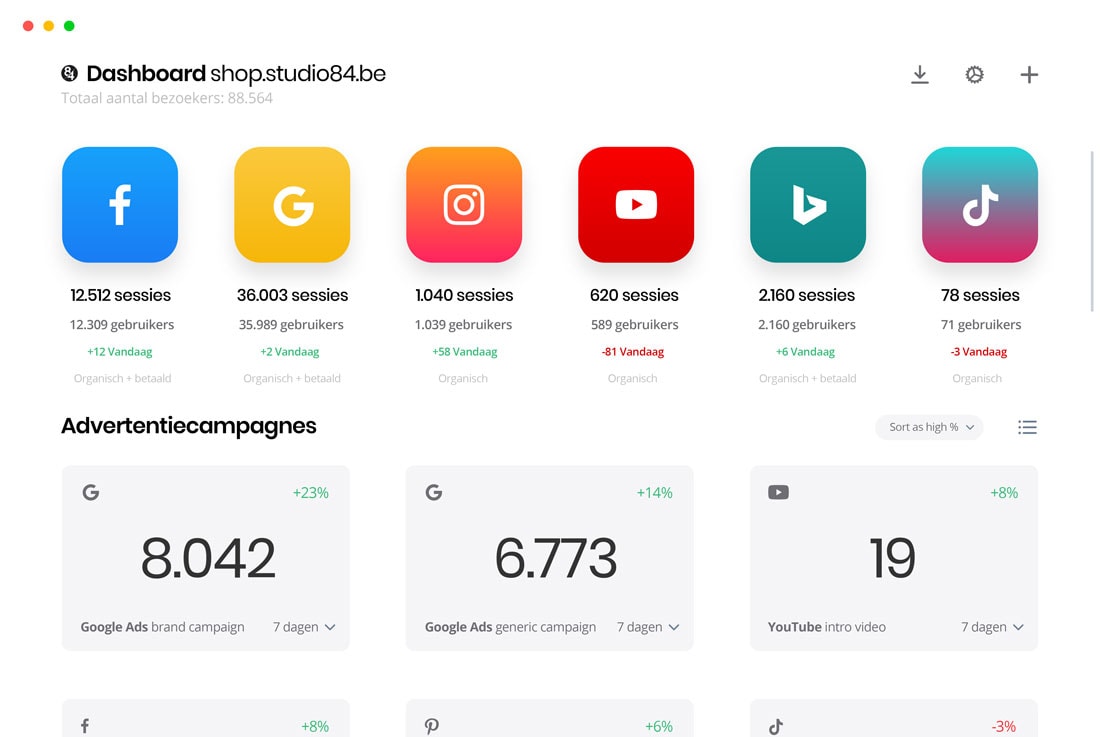
Studio 84 builds customised interactive dashboards via Google Looker Studio, fully tailored to your business and marketing goals. All key metrics, from Google Analytics and Ads to social media campaigns, come together in one overview.
Always up-to-date
Choose a live online dashboard or receive automatic reports via e-mail, daily, weekly or monthly. Each report is tailored to what really matters for your business.
Why choose Studio 84?
More than numbers. Insight that pays off.
At Studio 84, you don't get standard dashboards or generic reports. We turn data into action. As a certified Google Analytics specialist, we make sure your measurements are correct, reliable and strategically based.
Certified & experienced
- Certified Google Analytics partner since 2008
- Specialist in Google Tag Manager implementations and management
- Correct set-up of goals, events, conversions and e-commerce tracking
Everything customised
- Reports in Looker Studio, tailored to your KPIs
- Every click, scroll, form and purchase is accurately measured
- Data integration with ad platforms such as Google Ads, Meta, TikTok...
Google Tag Manager
Manage tracking codes without technical worries
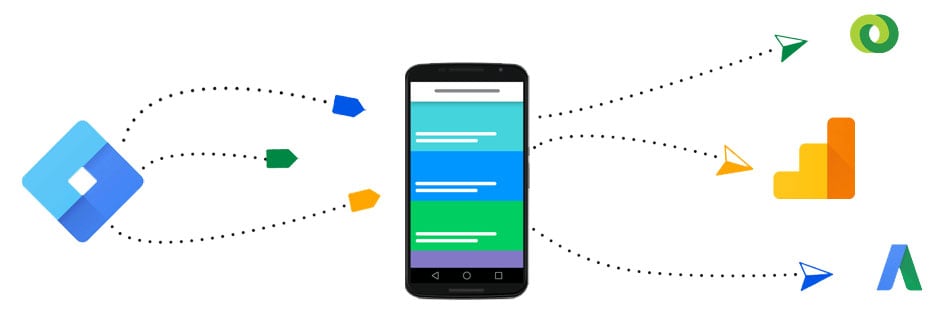
Thanks to Google Tag Manager you easily add tags, pixels or scripts to your website without the intervention of a developer. Studio 84 ensures correct set-up.
- One central place for all your scripts: from Google Ads to Meta, TikTok or LinkedIn
- Faster load times thanks to optimised tag management
- No intermediate steps or IT dependence
Conversion optimisation
Get more results from your existing visitors
Generating more traffic is one thing, but making sure visitors actually convert is at least as important. Studio 84 analyses the behaviour of your users and discovers where there is room for improvement. So that you get more customers from your current website visitors.
5000 visitors


4900 visitors leave the website

100 applications
Frequently asked questions on web statistics and GA4
Data tells the story of your visitors, if you know how to listen. Here we answer questions on how Studio 84 uses GA4 and Tag Manager to increase insights and results.
What is Google Analytics 4 (GA4)?
Google Analytics 4 (GA4) is the latest version of Google's analytics platform for measuring website and app statistics. GA4 is the successor to Universal Analytics (UA) and has been the standard since 1 July 2023, as UA no longer collects data.
GA4 allows you to track users' behaviour on your website in detail: from pageviews and clicks to scroll depth and purchases. A key difference is that GA4 is event-based (each interaction is an event) rather than session-based like UA. This new data model offers richer insights, especially for modern websites and apps.
In short, GA4 helps you better understand what visitors are doing on your site and which marketing efforts are having an effect, so you can refine your online strategy.
What is the difference between GA4 and Universal Analytics?
There are several differences, but the biggest is the measurement method. Universal Analytics (UA) worked session-oriented: it tracked user data per session and pageview. GA4 by contrast, it measures each interaction as a separate event, making it more flexible to deal with different platforms (web, apps) and complex user journeys. Practically, this means that GA4 has new standard events (such as scrolling, video playback) that can be measured automatically, where in UA you often needed extra code.
Furthermore, GA4 has a revamped interface and reporting system. In terms of privacy, GA4 has also been updated: IP addresses are no longer stored and there are options to make data anonymisation easier. GA4 also integrates machine learning to provide trends or forecasts (e.g. churn probability). To sum up: GA4 is a completely new system, not just an update of UA. It requires setting up a new property (your UA data is not automatically transferred).
At Studio 84, we handled both the transition for clients and new GA4 implementations. We found that GA4 takes some getting used to, but ultimately offers powerful insights that were trickier with UA.
How do I set up Google Analytics 4 on my website?
To use GA4, you must first create a GA4 prop in your Google Analytics account (in addition to or replacing your old UA prop). You will then get a measurement code (Google Tag) or you can implement GA4 via Google Tag Manager. That code needs to be loaded on all pages of your website. Then you go into the GA4 interface to check whether data is coming in (via Realtime report).
It is also advisable to set key events: GA4 already measures pageviews, scrolls, outbound clicks, site search, etc. by default, but things like form submission or purchase often need to be defined as conversion events yourself. This can be done via Google Tag Manager or via the interface (Configure Enhanced Measurement/events).
Does this sound overwhelming? Not to worry: Studio 84 can do the entire GA4 setup for you, including correctly configuring conversions and linking with Google Ads or Search Console if necessary. Our Google Analytics certified experts (GA-certified since 2008) ensures that GA4 runs quickly and correctly with you, so that you have reliable data.
Is Google Analytics 4 privacy-friendly (AVG-compliant)?
This is an important point. At its core, GA4 is designed with more attention to privacy than its predecessor. For instance, GA4 anonymises IP addresses by default and you can set how long data is kept. In the EU, however, the question remains whether Google Analytics (i.e. GA4) can be used without consent.
Current rules allow you to set analytics cookies without explicit cookie consent as you meet strict conditions and the impact on privacy is low. Specifically, this means using GA4 only for purely statistical purposes (not for personal identification or advertising). Among other things, you must turn off data sharing with Google, not use User IDs or Google signals for ads, and accept a processing agreement with Google. If you do this, some regulators consider it permissible to use GA4 without prior consent. Although this is still under discussion, and regulations are evolving. It is advisable anyway to mention your use of GA4 in your privacy statement.
Studio 84 can help you set up GA4 as privacy-friendly as possible (e.g. via Google Tag Manager with Consent Mode, so that GA4 waits for consent for advertising features). We follow legal developments closely. You can deploy GA4 GDPR-compliant, but let us advise you on this so you are sure to get it right.
Latest news
Discover our latest blogs on web statistics and Google Analytics. Information, tips and insights to get more out of your data.

- 10/08/2025

- 15/06/2025

- 07/06/2025

- 04/08/2025
Free quote
Ready to get more insights?
Wondering if you are getting all the valuable data from your website? Studio 84 reviews your tracking set-up and provides no-obligation advice on how to improve your measurements. That way, you know exactly what works and what can be improved.